

Messaging
Step 1
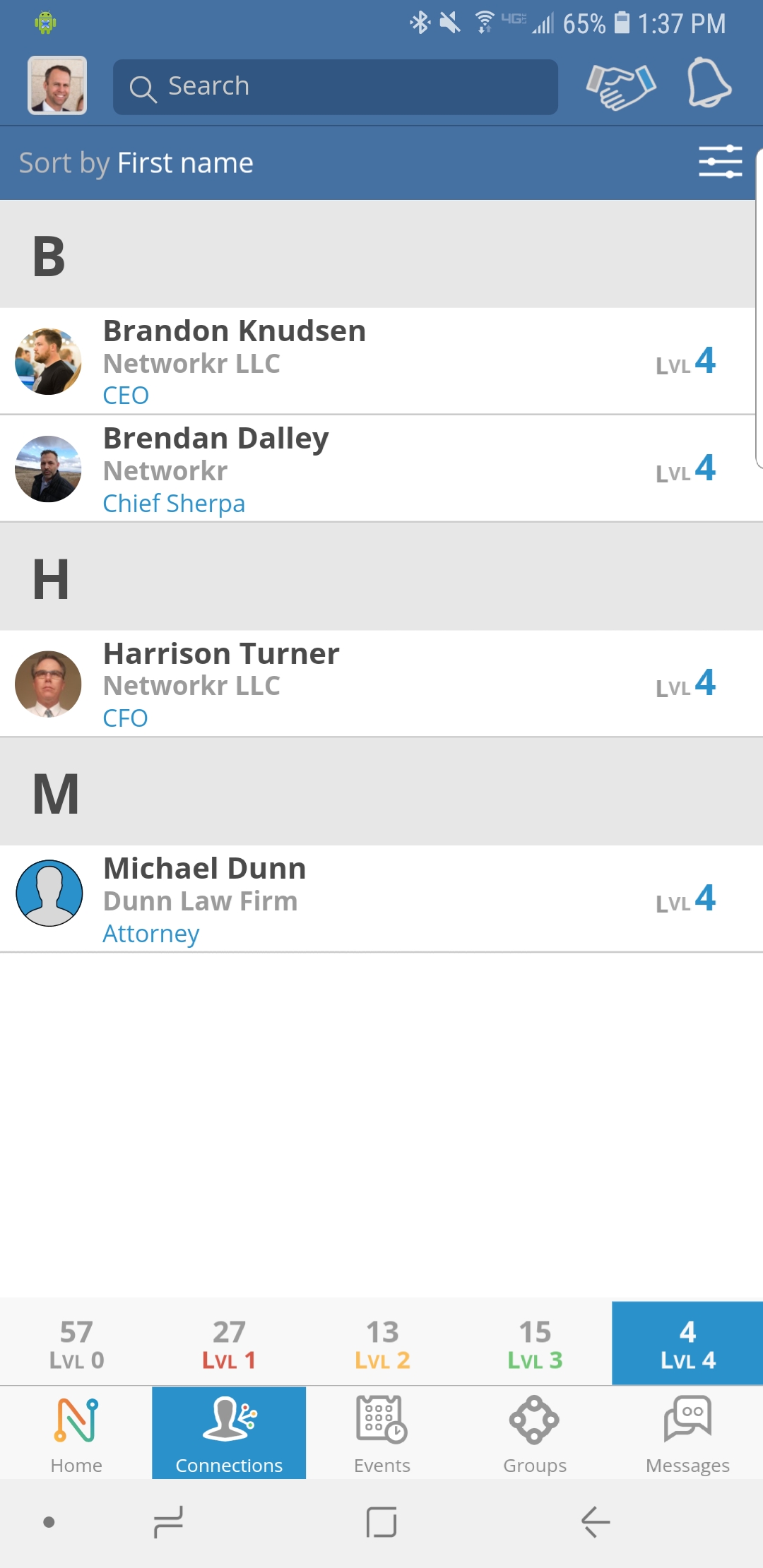
From the Home Screen click on your “Connections” tab at the bottom
Step 2
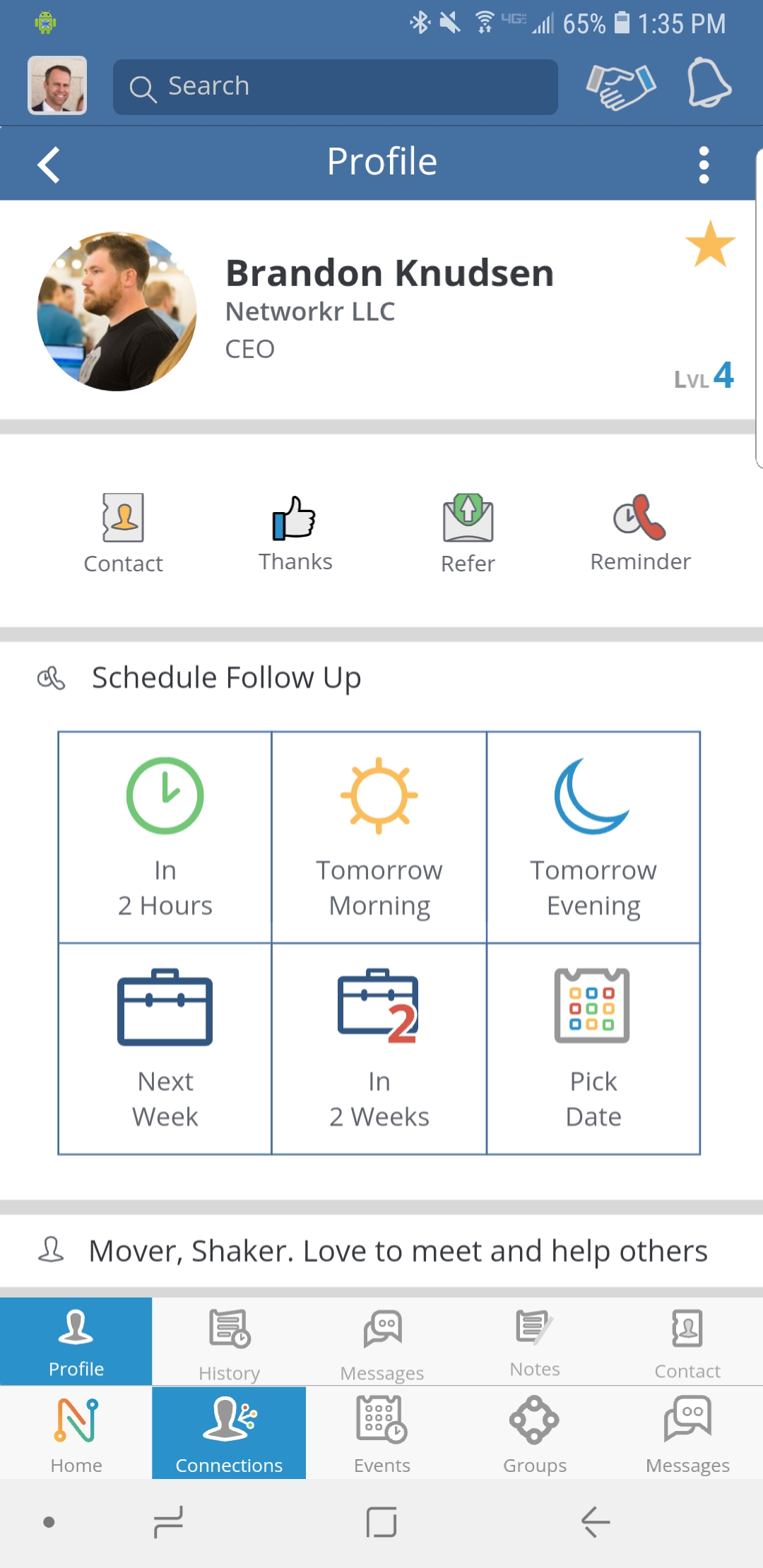
Find the person you want to send a message to and click on their name.
Step 3
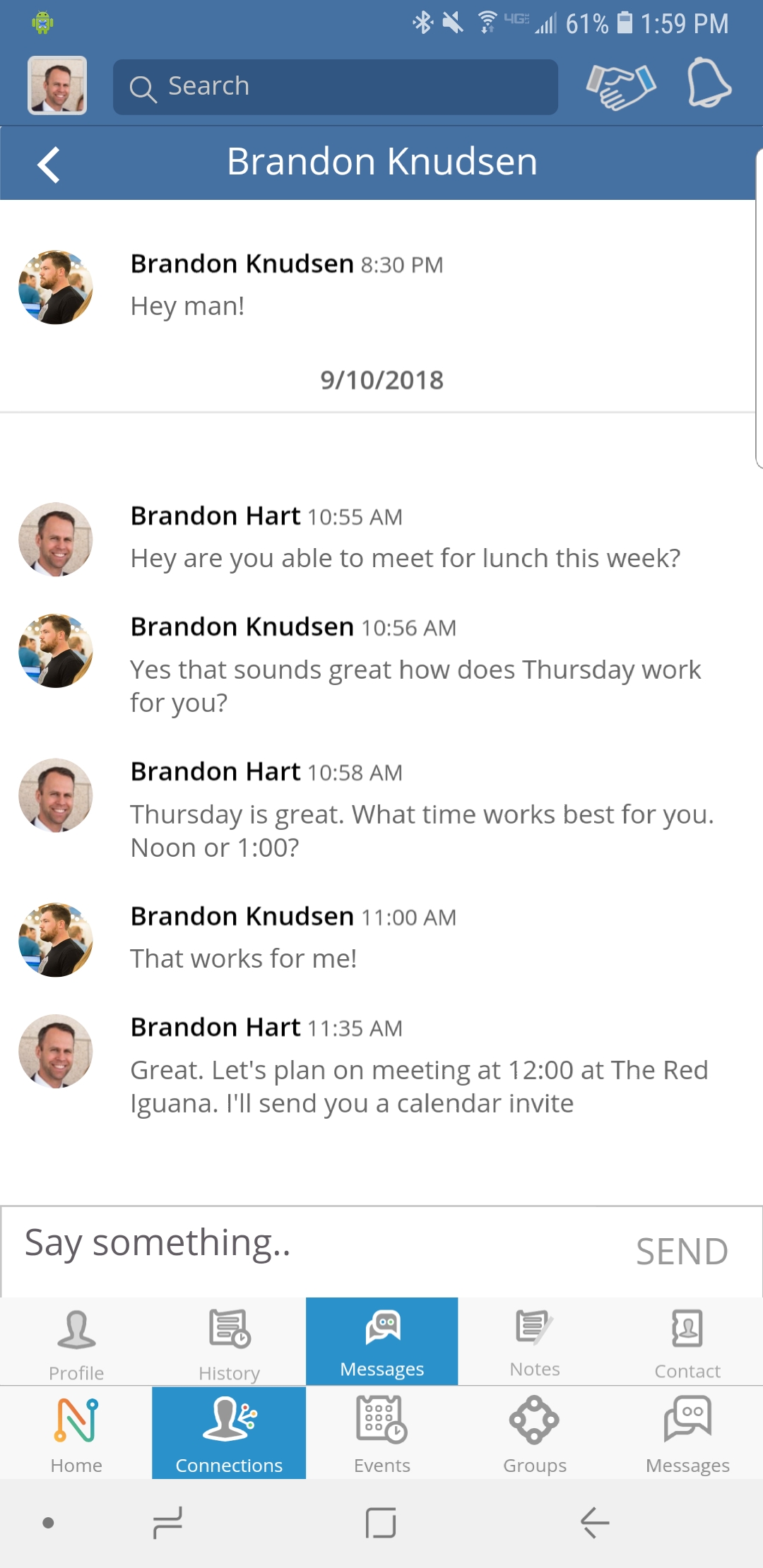
You will see different tabs below their profile. Go ahead and select the third tab over called “Messages”.
Step 4
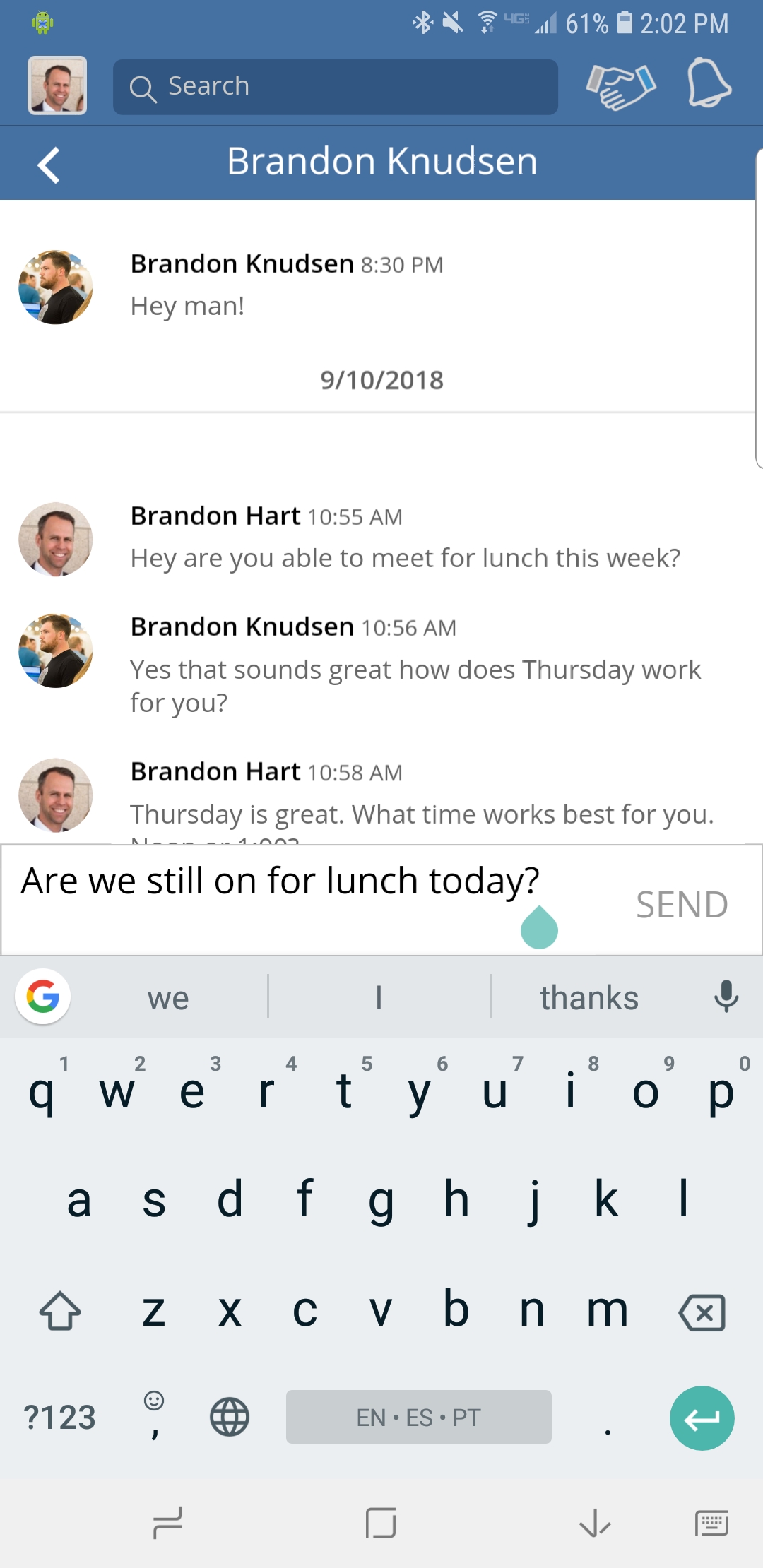
Type a message in the box that says “Say Something” and click SEND when you’re done.